
What is a video podcast?
What a video podcast is, and how to start your own

Justin Jackson
A video podcast is an episodic series of digital video episodes, often available via subscription, that users can stream or download to personal devices. Think of them as on-demand talk TV shows, covering niche topics, stories, or conversations that can be watched or listened to anytime, anywhere. While video is the primary format, episodes are typically designed to work in audio as well, so listeners can switch between watching and listening depending on their context.
Video podcasts can be distributed to multiple platforms:
YouTube — published as a podcast playlist on your YouTube Channel.
Spotify video podcast — video can be added to your existing audio episodes, so people can watch or listen.
Apple Podcasts HLS video — video streamed inside Apple Podcasts using HLS video.
HLS video in your RSS feed — video streamed via HLS through the
<podcast:alternateEnclosure>tag in your RSS feed, playable in apps like Fountain, TrueFans, and Pocket Casts(Old) RSS video enclosure — a full video file linked in your episode's
<enclosure>tag, supported by Apple Podcasts since 2005
In 2026, video podcasting means: you upload a video episode to your hosting platform, it gets encoded (ideally via HLS streaming), and distributed through a single RSS feed to apps like YouTube, Apple Podcasts, Spotify, Pocket Casts, and others.
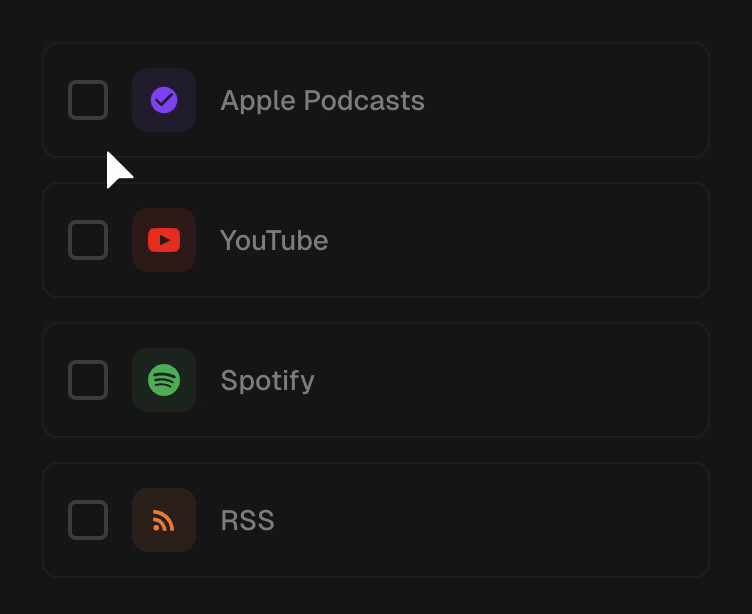
The ideal is "upload once, distribute everywhere," with listeners choosing whether to watch or listen depending on their context.
Which podcast apps support video?
YouTube video podcasts
When Gen Z folks hear "video podcast" or "podcast," they might think of YouTube first! Podcasts published on YouTube in a podcast playlist are shown both on the regular YouTube platform but also in their YouTube Music app.
A good example is ConvertKit's podcast (which they also publish as an audio podcast):
Many podcasters publish full episodes (or clips) on YouTube alongside an audio version on Spotify, Apple Podcasts, and other apps. If you're starting from scratch, here's how to start a podcast.
The tradeoff? YouTube is its own world. Your subscribers don't carry over to your podcast feed, the algorithm decides who sees your content, and you're competing with every other video on the platform. That's why a lot of podcasters want to distribute their video beyond YouTube — upload once, reach listeners everywhere.
Video podcasts on Spotify
Spotify launched video podcasts in 2020. Since then, Spotify has reported tremendous growth:
In 2024 alone, 40% of Spotify users who streamed a new show chose a video podcast.
Video is uploaded to Spotify's platform (via their portal, or your podcast hosting platform). Like YouTube, the content lives on Spotify's servers. Your video doesn't flow out to other apps or into your RSS feed.
Here are some examples of video podcasts on Spotify:
Apple Podcasts HLS video
Apple Podcasts video lets listeners watch video episodes right inside the Apple Podcasts app, alongside the audio content they're already subscribed to.
Apple has actually supported video files in podcast feeds since 2005 (via the traditional enclosure tag). But the modern version, which launched in spring 2026, uses HLS (HTTP Live Streaming) to deliver a real streaming experience: adaptive quality, instant playback, no giant file downloads.
Transistor is one of Apple's approved hosting partners for HLS video on Apple Podcasts. Our first customers using it include Stephen Robles (Primary Technology, Movies on the Side) and TBPN, who recently published an interview with Apple SVP Eddy Cue using this format.
If you're a video-first creator, this is a big deal: your audience can watch your show right inside Apple Podcasts, with a streaming experience that feels native.
HLS in the alternate enclosure (open RSS)
This is what the Podcast Standards Project has been working toward: a single, audio-first RSS feed that includes an HLS video stream in the <podcast:alternateEnclosure> tag.
The audio enclosure stays primary (so every podcast app can still play your show), but apps that support HLS( like Fountain, TrueFans, and Pocket Casts) can pick up the video stream and let listeners watch.
This solves a long-standing problem. Podcasters like Leo Laporte at TWiT had to maintain separate RSS feeds for audio and video for years, splitting their audience in two. With the alternate enclosure approach, it's one feed, one audience, and the listener decides whether to watch or listen.
Transistor adds HLS manifest URLs to the <podcast:alternateEnclosure> tag automatically when you upload video, so your episodes are available in both Apple Podcasts and any open podcast app that supports the standard.
How do I make a video podcast?
Hiwote, an online educator, has a great tutorial for creating video podcasts here:
Hiwote will be the first to tell you that if you've never made a podcast before, you might want to start with audio. Video has a lot of moving parts. But if you're set on video, here's the short version of her advice.
Get clear on what you're making first. Before you buy a single piece of gear, know what your show is and who it's for. The gear is the fun/easy part. Figuring out what you're actually making is the hard part, and it's the thing that separates a show you're proud of from one you quit after three episodes.
You really only need three things: a camera, a microphone, and decent lighting.
Camera: Your iPhone is a great camera (a 14 or newer shoots in 4K). Use it as a webcam with Continuity Camera and a cheap mount, or just record straight into it on a tripod. If you want to invest in something separate, Hiwote's favorite starter camera is the DJI Osmo Pocket 3.
Microphone: A $100–150 mic is all you need to start. She likes the Audio-Technica AT2020 or a lapel mic like the DJI Lavalier. The one non-negotiable rule: get a real mic. People will forgive a lot, but they won't forgive bad audio. They'll just leave.
Lighting: The free version is sitting in front of a window. Want a step up? Grab a ring light. The only rule that matters is that the light goes in front of you, not behind you, otherwise you turn into a silhouette.
Talking to a camera feels awkward. That's normal. Even Hiwote watches herself back and cringes sometimes. Her tips for not sounding like a robot:
Sit at eye level with the camera, centered, with a bit of space behind you (don't back up against a wall).
Picture one real person you're talking to (someone who's actually rooting for you). This helps make your speech more natural and conversational when speaking to the camera.
Don't read a script word-for-word. Use bullet points and talk like you're talking to a friend.
Don't rush. And saying "um" a few times isn't a crime, you can always trim it later.
Clean audio beats everything else. Record in a tool like Descript or Riverside so you capture high-quality audio (and a backup of your guest's track in case something goes wrong). Record somewhere with soft surfaces, a couch, rugs, curtains, to kill the echo.
Then upload once and let it go everywhere. This is the part that used to be a slog: pull out the audio, upload it to your host, then upload the video separately to YouTube, then Spotify, then Apple. With Transistor you upload your video once and it distributes everywhere (YouTube, Apple Podcasts, Spotify) while audio-only apps like Pocket Casts automatically get the audio version.
Does Transistor support video podcasts?
Yes. Transistor now hosts video podcasts with an "upload once, distribute everywhere" approach.
Upload your video to Transistor, and we handle the rest: HLS encoding for Apple Podcasts, HLS in the alternate enclosure for open podcast apps, distribution to Spotify, and an audio track extracted for your standard RSS feed. One upload. Every platform.
