
You can earn recurring revenue from a members-only podcast by offering bonus episodes, an ad-free version of your show, or a podcast that comes with a paid newsletter or community.
To get started, you'll need three things:
- A private podcast host. Transistor hosts your episodes and generates a unique private RSS feed for each subscriber.
- A way to collect payments. Use a membership platform such as Ghost, or connect your payment platform with an automation.
- A way to deliver access. Keep your paying members in sync with your private podcast, then help them listen in Apple Podcasts, Spotify, or another supported app.
How do paid private podcasts work?
Paid podcasts, such as John Gruber's Dithering, give listeners access to episodes in exchange for a subscription. Members get a private feed that they can add to their podcast player.
With Transistor, you don't need to build your own podcast delivery system. Each subscriber gets access to a private feed, so you can remove someone without changing the feed for everyone else. A membership integration can handle adding and removing subscribers for you.
How to create a private podcast for subscribers
In your Transistor dashboard, click "Add a podcast" and create a private podcast. Private podcasts are available on all Transistor plans; choose a plan with enough private subscribers for your membership.
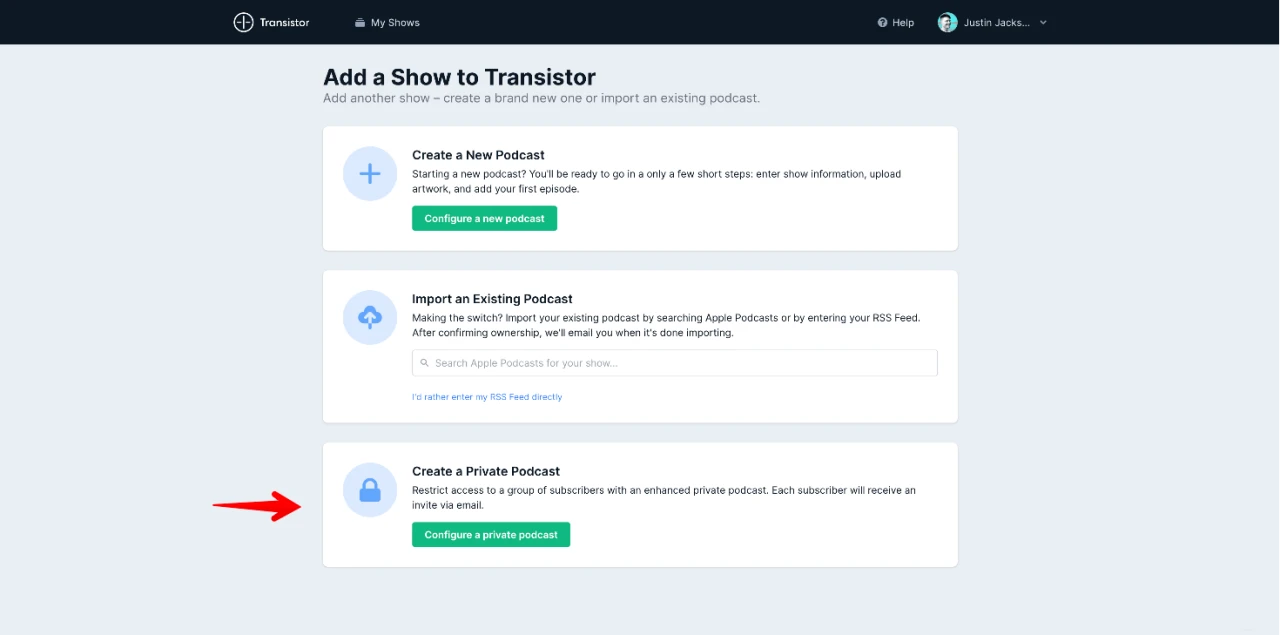
Next, you'll upload the audio for your episode from your phone or computer. Transistor will turn it into a podcast episode, and publish it as a private podcast.
Every time you add a subscriber, Transistor will generate a unique RSS feed just for them. If they cancel their membership, you can remove them as a subscriber so they no longer have access.
How to charge subscribers for a private podcast
Your membership or payment platform handles billing, while Transistor handles the podcast.
Use Ghost to sell a members-only podcast
If you publish a newsletter or blog, you can bundle a private podcast with a paid Ghost membership. Offer bonus interviews, audio versions of your posts, or an exclusive show as a reason to become a paying member.
The official Ghost integration keeps your members and private podcast subscribers in sync, without custom code or Zapier:
- Activate Transistor in Ghost. In Ghost Admin, go to Settings → Integrations and activate Transistor.fm. Copy the Admin API key and API URL.
- Connect your private podcast. In your podcast's Integrations tab in Transistor, enter those credentials and connect to Ghost.
- Choose who gets access. Select paid members only, or specific membership tiers, for a paid podcast. You can also choose all members if you want to include free members.
- Sync your members. Click Update and Sync Members to import eligible members. Future membership changes update their podcast access automatically.
Members can find their private podcast in their Ghost account portal. You can also add a Transistor card to a Ghost post or welcome page; in a newsletter, the card links to each member's personalized podcast landing page.
Ghost handles memberships and billing. Transistor hosts and delivers the episodes. When a member's eligibility changes—through an upgrade, downgrade, or cancellation—the integration updates their access for you.
See our Ghost integration walkthrough and Ghost's setup guide for more details.
Using PayPal
For a small membership, you can collect payments through PayPal and add paying subscribers to Transistor yourself. You'll also need to remove their access when their membership ends.
You can share a private podcast invite link after payment, but an invite link alone doesn't verify payment or keep cancellations in sync. For ongoing subscriptions, use an integration or automation rather than relying only on a checkout redirect.
Use Zapier and accept payments from Stripe, Podia, Memberful
You can use Zapier + Transistor to create automations like this:
-
"Automatically add a private subscriber when they pay on Podia."
-
"Automatically remove a private subscriber when they cancel their membership."
In this example, the Zapier automation creates a private podcast subscriber on Transistor every time a new member signs up for a subscription on Memberful.
Help subscribers add the private podcast to their listening app
Transistor makes it easy for subscribers to add their private podcast feed to listening apps like Apple Podcasts, Overcast, Pocket Casts, and Podcast Addict. (Much easier than adding a private podcast feed from Patreon).
New subscribers will automatically receive a welcome email:
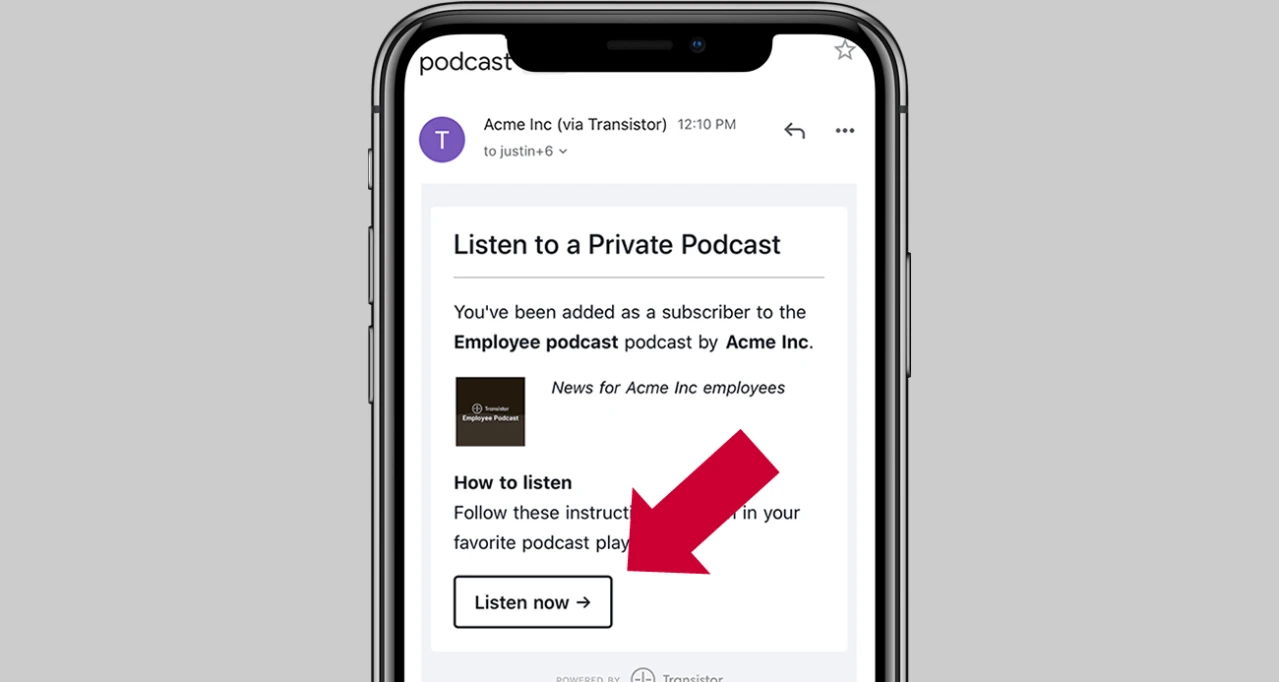
They'll then be able to add the feed to their favorite podcast player with one click:
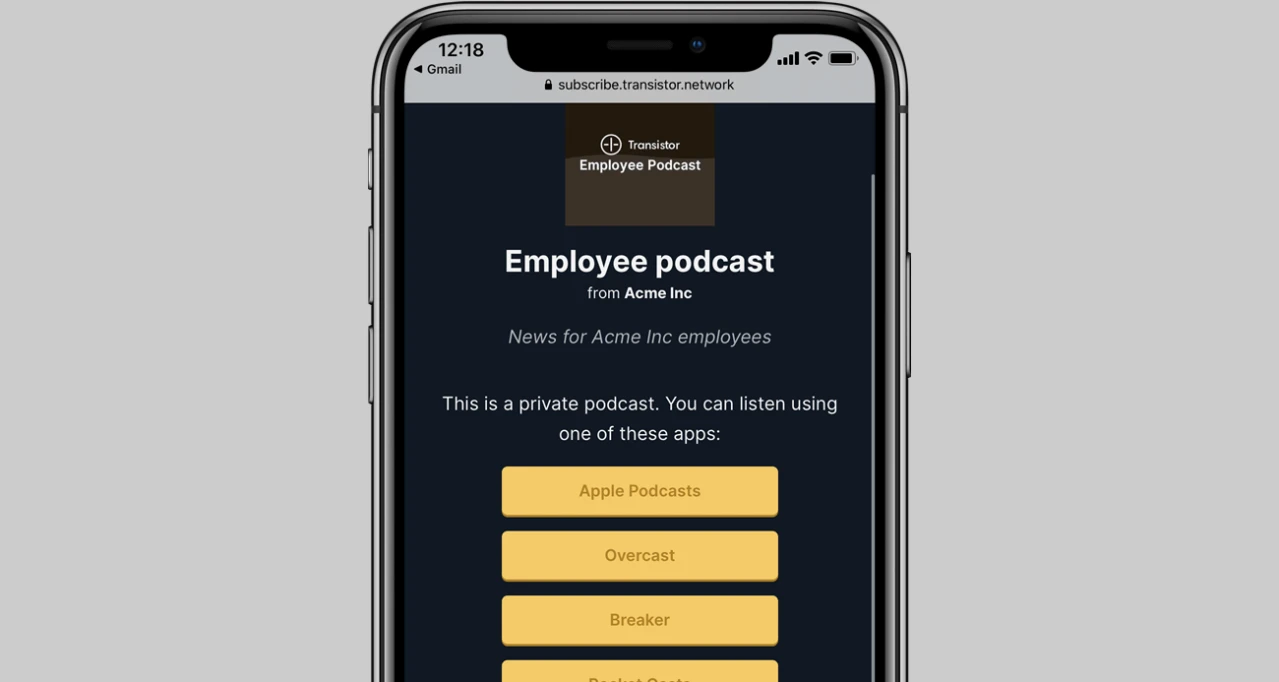
Once they're subscribed, they will automatically receive new episodes when they are published.
Publish your members-only podcast on Spotify
Your paying members can also listen in Spotify. Transistor's Spotify Open Access integration connects each member's private podcast access to their Spotify account. It works on all Transistor plans for private podcasts, not unlisted podcasts.
- Submit your podcast. Open your private podcast's Distribution tab and click "Submit my show to Spotify Open Access." Spotify can take up to an hour to create the listing; Transistor emails you when it's ready.
- Set discovery and signup options. By default, the listing is accessible with a direct link. You can allow it to appear in Spotify search and recommendations. Add your membership signup URL so people without access can find out how to join.
- Help members connect. Once the listing is ready, new subscribers see Spotify in their welcome email and on their landing page. Use "Send announcement email" in the Spotify Open Access section to notify existing subscribers.
Members link their Spotify account from their subscriber landing page. A free Spotify account is enough; they don't need Spotify Premium. They can still use their private RSS feed in another supported podcast app, or listen in their browser.
The audio is members-only, but the listing isn't confidential. Anyone who finds it can see the show's title, artwork, episode titles, and show notes. People without access see locked episodes and can't play the audio.
Spotify Open Access doesn't collect membership payments. Keep using Ghost or your chosen payment platform to sell access. When a subscriber is removed from Transistor, they also lose access in Spotify.
Read the Spotify Open Access setup guide for the current settings and subscriber instructions.
Notify subscribers of new episodes by email
Not every member wants to use a podcast app. Email notifications give subscribers another way to keep up with your show, with a link to listen in their browser.
Transistor now has a feature that notifies subscribers by email when there's a new episode. They can also listen to the episode on the web if they wish.
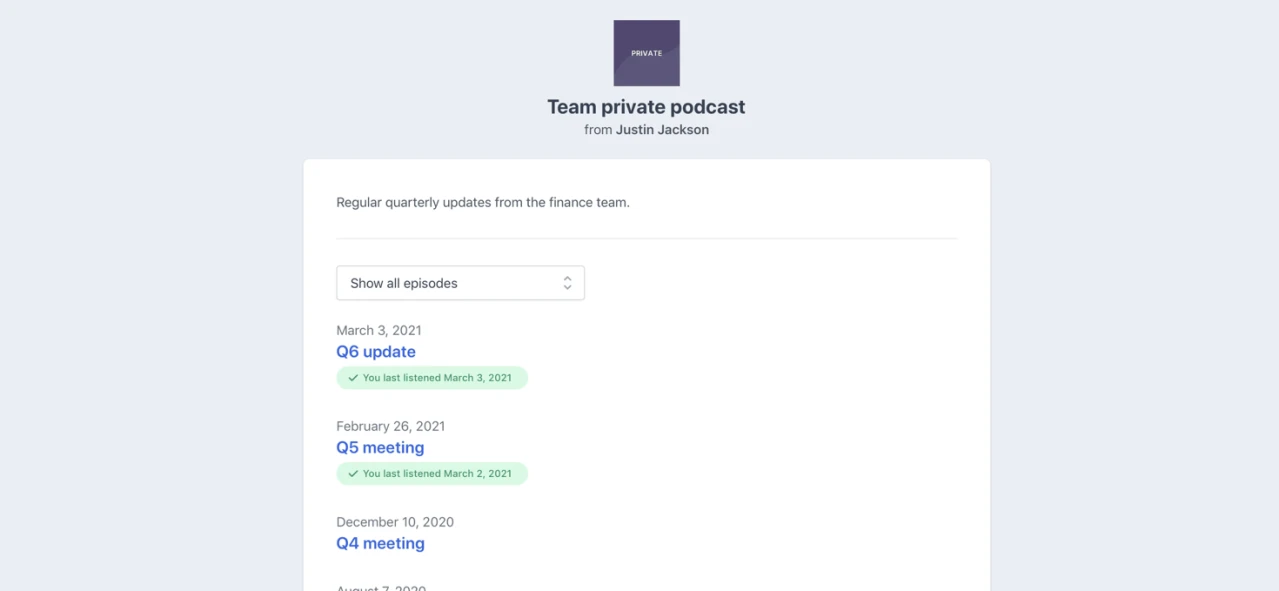
The web browser view also allows subscribers to browse episodes, and listen to other unplayed episodes.
How much money can you make from a private podcast?
As an example, Justin's MegaMaker membership site, launched in 2013, had earned nearly $190,000 by the time this article was first published in 2021, averaging about $25,000 per year. These are historical figures for the whole membership, not podcast-only revenue:
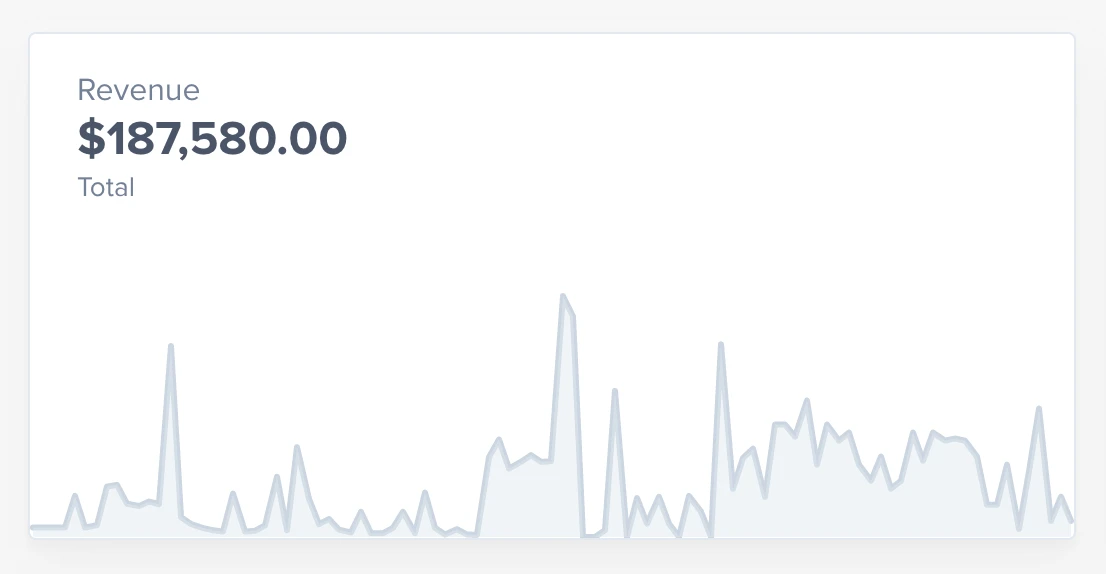
Your revenue will depend on your audience, pricing, and how long members stay subscribed. Building a sustainable membership takes time; these results aren't a guarantee.