
Preview your podcast website before you publish it
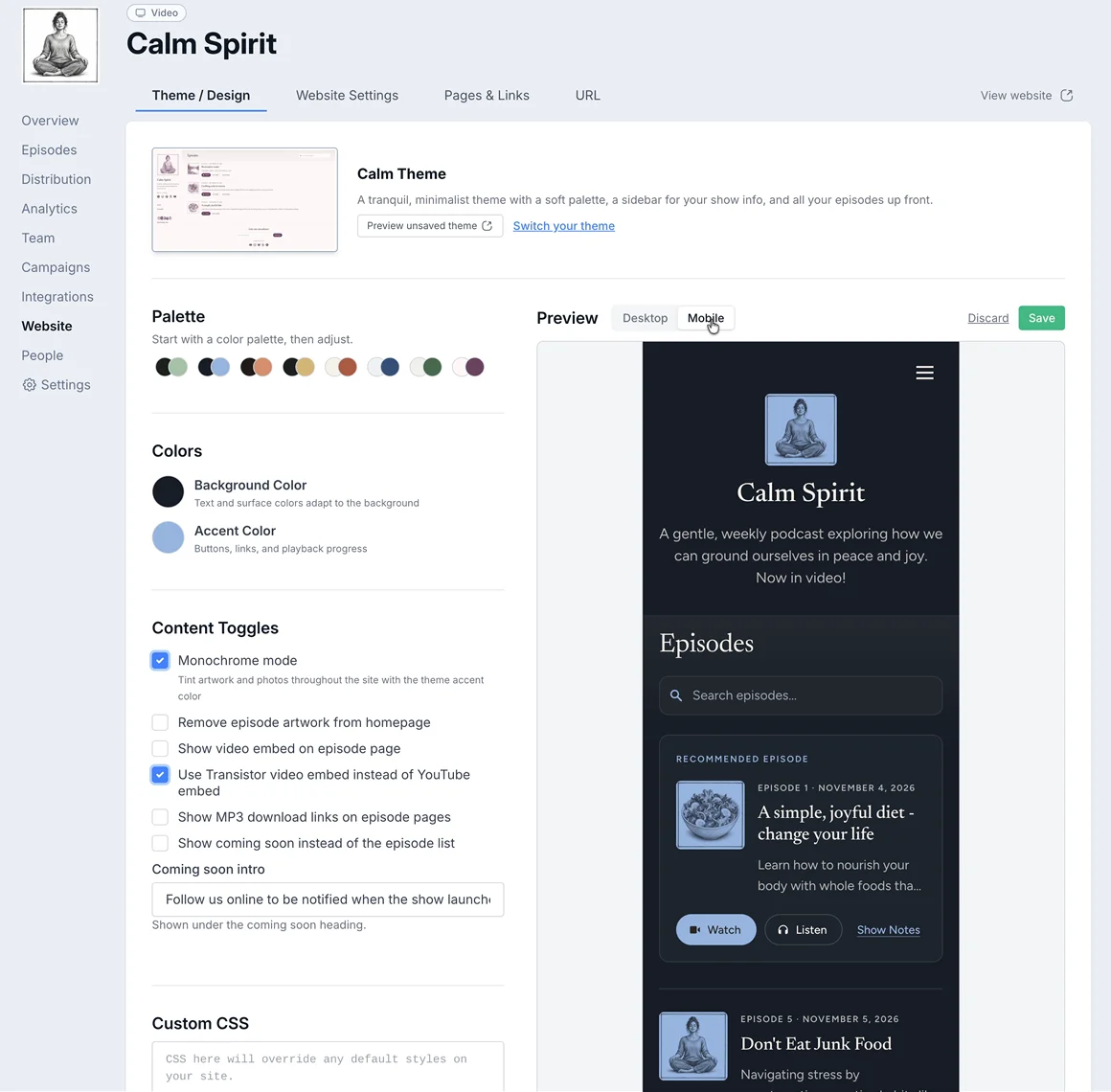
Now the Website section in Transistor shows a live preview of your site right beside your theme settings.
What you can do
-
See changes as you make them. Pick a palette, or adjust your background and accent colors, and the preview updates right away.
-
Check desktop and mobile. Switch between the two views to see how your site looks on a laptop and on a phone.
-
Try a new theme. Click "Switch your theme," pick one you'd like to try, and preview it with your own colors.
-
Test your custom CSS. Custom CSS shows up in the preview too, so you can tweak it without touching your live site.
Start using it today
If you haven't updated your podcast website in a while, this is a great time to do it. Head to the "Website" section for your show, try out a few color schemes and themes, find something you like, and click Save.
Not on Transistor yet? You can import your existing podcast easily. Start your 14-day free trial.
Learn more about Transistor's features
With Transistor.fm, you can host unlimited audio and video podcasts. Every show gets a detailed analytics dashboard, a podcast website, and more...